Is There a Free Quark to InDesign Conversion Method?
The good news is if you want a free Quark to InDesign conversion tool, you'll find it built right into InDesign. The bad news is you can only import Quark version 4 files. If you're converting Quark to InDesign and you only have the latest (or a recent) version of Quark, you'll need to purchase a plugin like Q2ID. First though, find out if you have what you need for a free Quark to InDesign conversion:
Page summary:
- If you do have legacy versions of Quark, see below for instructions on converting files yourself.
- If you don't have legacy versions of Quark, either:
- Purchase the Q2ID plugin:
Apple OSX or Microsoft Windows: Q2ID for InDesign CC 2017, CS6, CS5.5, CS5
or - Use our Quark conversion service (Converts Quark 2016 or earlier to InDesign CS3 - CC).
- Purchase the Q2ID plugin:
Converting Quark to InDesign
So you've got archives full of Quark files and you've long since made the transition to InDesign... What do you do?
Recently I was working on an enormous book project for a publishing client in Greece. There were two 300+ page documents of fairly complex text and diagramatic content, both of which were nearing completion. During one of my conversations with the client it was revealed to me that the files had to be created in InDesign. Their in-house team had switched to InDesign entirely and they no longer accepted Quark files.
Potentially a complete nightmare... Both books had been created using Quark XPress 7. But using the procedure below I managed to convert both books without any problems. The positioning of all text boxes and images were the same, and with only the odd spacing glitch where I'd embedded images within text boxes, all was fine. I spent a lot of time checking each page, but not nearly as much time as I would have spent recreating the documents from scratch. And I found that InDesign ended up being much nicer (and more stable) to work with.
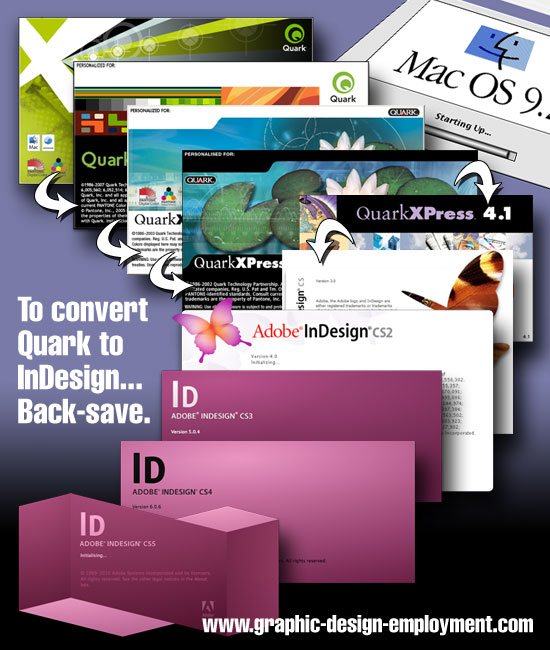
Quark XPress 4 free Quark to InDesign conversion
Whatever version of InDesign you're using, make sure you have the latest update from Adobe. For these free updates, Mac users click here and Windows users click here.
Once you have the latest update installed, all you need to do is select the Quark file through the File/Open InDesign menu, enable 'All Documents' instead of 'All Readable Documents' and it'll start converting. Done!
You might have to re-establish image links, but that should be about it. InDesign will import most of the document information intact - and that's it! You can now save the file as an INDD file. Make sure you check the content carefully though - no conversion is perfect.
Quark XPress 5 free Quark to InDesign conversion
What about converting Quark 5 files? No problem. Open them in Quark 5 (which you will need), select File/Save As, and save the file as a version 4 file. Then you'll be able to open the file in InDesign as explained above.
Quark XPress 6 free Quark to InDesign conversion
How about converting Quark 6 files? No problem! Open them in Quark 6 (which you'll need!), and back-save it to Quark version 5 as demonstrated above. Then you'll need to open them in Quark 5 and back-save them to version 4! And then you'll be able to open them in InDesign.
Quark XPress 7 free Quark to InDesign conversion
If you're converting Quark 7 files the procedure is slightly different. Instead of selecting File/Save As... you'll need to export the document as a Quark 6 Project. Just select File/Export>Layouts as Projects instead. Then open the file in Quark 6 (see above steps).
Quark XPress 8 free Quark to InDesign conversion
Same again for Quark XPress 8. Select File/Export>Layouts as Projects, export the document as a Quark 7 project, open in Q7 and follow the steps above.
Quark XPress 9 free Quark to InDesign conversion
Same again for Quark XPress 9. Select File/Export>Layouts as Projects, export the document as a Quark 8 project, open in Q8 and follow the steps above.
Quark XPress 10 free Quark to InDesign conversion
Same again for Quark XPress 10. Select File/Export>Layouts as Projects, export the document as a Quark 9 project, open in Q9 and follow the steps above.
Quark XPress 2015 free Quark to InDesign conversion
Same again for Quark XPress 2015. Select File/Export>Layouts as Projects, export the document as a Quark 10 project, open in Q10 and follow the steps above.
The long and the short of it is that you'll be able to convert Quark files to InDesign, but the newer the Quark (QXD) file version, the more hoops you'll have to jump through.
Converting Quark to InDesign Commercially (CS5, CS5.5, CS6 and Q5, Q6, Q7, Q8, Q9, Q10, Q2015, Q2016)
The free Quark to InDesign conversion is fine, and will get you out of a hole - but what if you don't have earlier versions of Quark? Or what if you want something a little more convenient, and more thorough?
The answer is to look at the commercial possibilities. The only one I've had experience with is Markzware Q2ID, a conversion tool which checks the boxes missed by the native QuarkXPress to InDesign conversion.
Markzware have been a name I've been familiar with for years. My first experience of their software was with an early version of Flightcheck which scanned Quark files, images and fonts to ensure that everything that should be there was there (Quark didn't include fonts in the collect for output option until version 5).
This is what Markzware does very well - it looks for gaps in the big software titles and then designs the plugins and software to fill those gaps. Their customer service is excellent as well - I remember e-mailing a hurried message of to the support guys late on a Friday, not really expecting any help until the following week. They called back within two minutes - I've been a fan ever since!
Q2ID will convert versions 3.3, 4, 5, 6, 7, 8, 9, 10, 2015 and 2016 of Quark to InDesign CS5, CS5.5, CS6 and CC 2014-2017 in the same way that the native InDesign plugin converts version 4 (at the time of writing). Just select File/Open. However, Markzware are up-front about the fact that no conversion is perfect, and some reworking will probably be required.
So if you're looking for a perfect facsimile of the original, you'll be disappointed unless the document being converted is very basic. Any conversion will, however, save you an enormous amount of time which would otherwise be spent on recreating the Quark files manually. If you'd like to see Q2ID in action, click here to view a test conversion I made using InDesign CS4 and Quark XPress 8.
If you'd like us to convert your Quark file for you, click here to get started. (Converts Quark 2016 or earlier to InDesign).
Video of a free Quark to InDesign Conversion (no plugin)
What about converting InDesign to Quark?
Markzware cater for this requirement as well with ID2Q. This converts Adobe InDesign v1.5, v2.0 and CS through CC 2015 files (Windows and Mac). If you'd like to see ID2Q in action, click here to view a test conversion I made using Quark XPress 8 and InDesign CS4.
Resources & More Information
- Q2ID - converts Quark Files to InDesign Files
- ID2Q - converts InDesign Files to Quark Files
- Quark to InDesign Conversion Service - Tinstar Design
- Case Study: Convert InDesign to Quark Using ID2Q Quark XPress Plugin
- Case Study: Using the Pub2ID plugin to Convert Publisher Files to InDesign
- Case Study: Convert Quark to InDesign Using Q2ID InDesign Plugin
- Case Study: Convert Quark to InDesign CS4 Using Q2ID
- InDesign updates from Adobe - Mac users click here and Windows users click here
- Click to go to top of Free Quark to InDesign Conversion page


