Illustrator Tutorials - Top Ten Most Requested
Below are the top ten most requested Adobe Illustrator tutorials from our readers. In spite of the many (sometimes excellent and sometimes not-so-excellent) enhancements to Illustrator, some of the basic tasks of Adobe Illustrator, like Photoshop, have changed little over the past few years. For example, the process of converting text to outlines is exactly the same now as it was 10 years ago; but the methods employed in editing patterns have improved a great deal.
Having sifted through our feedback (and bearing in mind that there are hundreds more in-depth Illustrator tutorials across the internet), we have restricted our list to the top ten most requested Adobe Illustrator tutorials and workflow methods - I hope that they're of use.
1. How to Use Live Trace to Create Line Art

The Live Trace tool has been refined with every release of Illustrator. It can create a pretty good quality vector version of a color photo now - but its ability to create fast, accurate vector versions of line art is still my favorite thing about it. Read How to Use Live Trace to Create Line Art...
2. How to Prepare a Vector Image for Press

Everything from creating a simple vector logo and saving it as a spot color graphic, to converting swatches to CMYK and saving the file as a process color vector document, suitable for press. Read How to Prepare a Vector Image for Press...
3. How to Make a Pattern that Repeats Seamlessly

Illustrator CS6 has really improved the control a user has over pattern editing. This article covers the creation of a pattern tile from scratch and its conversion to a repeating pattern for both Illustrator CS6 and Illustrator CS5 (and earlier). Read How to Make a Pattern that Repeats Seamlessly...
4. How to Make a Triangle

Sounds simple? It is. Here are three ways to create a triangle in Illustrator. There was a surprisingly large amount of information to write about this... all worth it, I promise! Read How to Make a Triangle...
5. How to Cut a Shape

This article covers all manner of sins, including how to cut a shape using one of five different methods. It also explains how to cut one shape out of another, leaving a star-shaped (or any-shape-you-like) hole. Read How to Cut a Shape...
6. How to Change Document Size in Illustrator

The ability to change the document size of an Illustrator file has become less intuitive in CS6 than before. However, there's a good reason for this; there may be an extra step involved, but it enables you to create multiple art boards (of differing sizes) within the same document. Read How to Change Document Size in Illustrator...
7. How to Convert Text to Outlines

Considering this process is something that's actually extremely simple and hasn't changed for years, it's perhaps surprising that this is probably the most requested page on our website. When sending vector artwork to press, text should almost always be converted to outlines (in case the printer doesn't have your fonts). Read How to Convert Text to Outlines...
8. How to Create Competent Line Art Using Adobe Illustrator
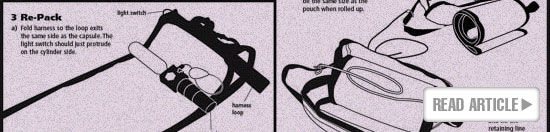
Not every designer is an accomplished illustrator. I'm not. But as long as you know how to use the tools at your disposal, you really don't have to be. This demonstrates how to create a competent illustration by using the pen tool and doing some good, old fashioned tracing. Read How to Create Competent Line Art Using Adobe Illustrator...
9. How to Create a Custom Adobe Illustrator Gradient
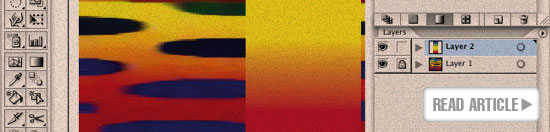
A simple guide to using the gradient tool to create your own custom gradient. This is useful if you need to replicate a weird piece of artwork like the one shown above... Read How to Create a Custom Adobe Illustrator Gradient...
10. Illustrator Gradient Mesh Tool - Creating Realistic Vector Art

One of the trickiest tools to get to grips with in my experience is the gradient mesh tool. This is partly because once a shape has been converted to a gradient mesh, there's no converting it to anything else... and partly because it seems to be more trial than error. But the results can be amazing. Read Illustrator Gradient Mesh Tool - Creating Realistic Vector Art...
Resources & More Information
- Photoshop Clipping Paths
- Proofreading Basics
- Free Method of Converting Quark to InDesign
- 4 Color Process Printing and Spot Color Printing - What's the Difference?
- Return from Top Ten Most Requested Adobe Illustrator Tutorials to Home


